How do I set my own time setting to post on social media?
If you want to make the most of your social media marketing, posting at the right time is essential to make sure your content is most likely to be seen.
Blog2Social provides you with a pre-configured time-scheme to automatically schedule your social media posts for the best times to share on each social network based on recent research.
Learn how to set up and apply pre-configured best times to your social media scheduling
However, you can change these times and configure your own individual time settings for each of your social media account to post your content on social media when your targets and followers are online. By configuring an individual cross-posting schedule for all your networks you can set up an effective social media posting plan to reach as many followers as possible.
Easily customize your individual best times settings and apply them for all your social media accounts while you share your posts or apply them to the auto-poster. You can even delay your posts for several days automatically, to spread your posts out through the week.
How to set up your own best times in Blog2Social
To adjust your individual best times settings go to "Networks" in your Blog2Social dashboard.
You can individually set the times for each of the different social networks. When setting up your best time schedule you can set a certain time and you can also allow a time delay in days. This makes it easier to share your posts evenly over several days or weeks across your social communities automatically.

Your customized time settings are saved automatically. You can change and adjust your settings anytime.
After setting up your individual best time schedule for each network you can load these time settings to schedule your next posts automatically.
How to apply your own best time settings for posts
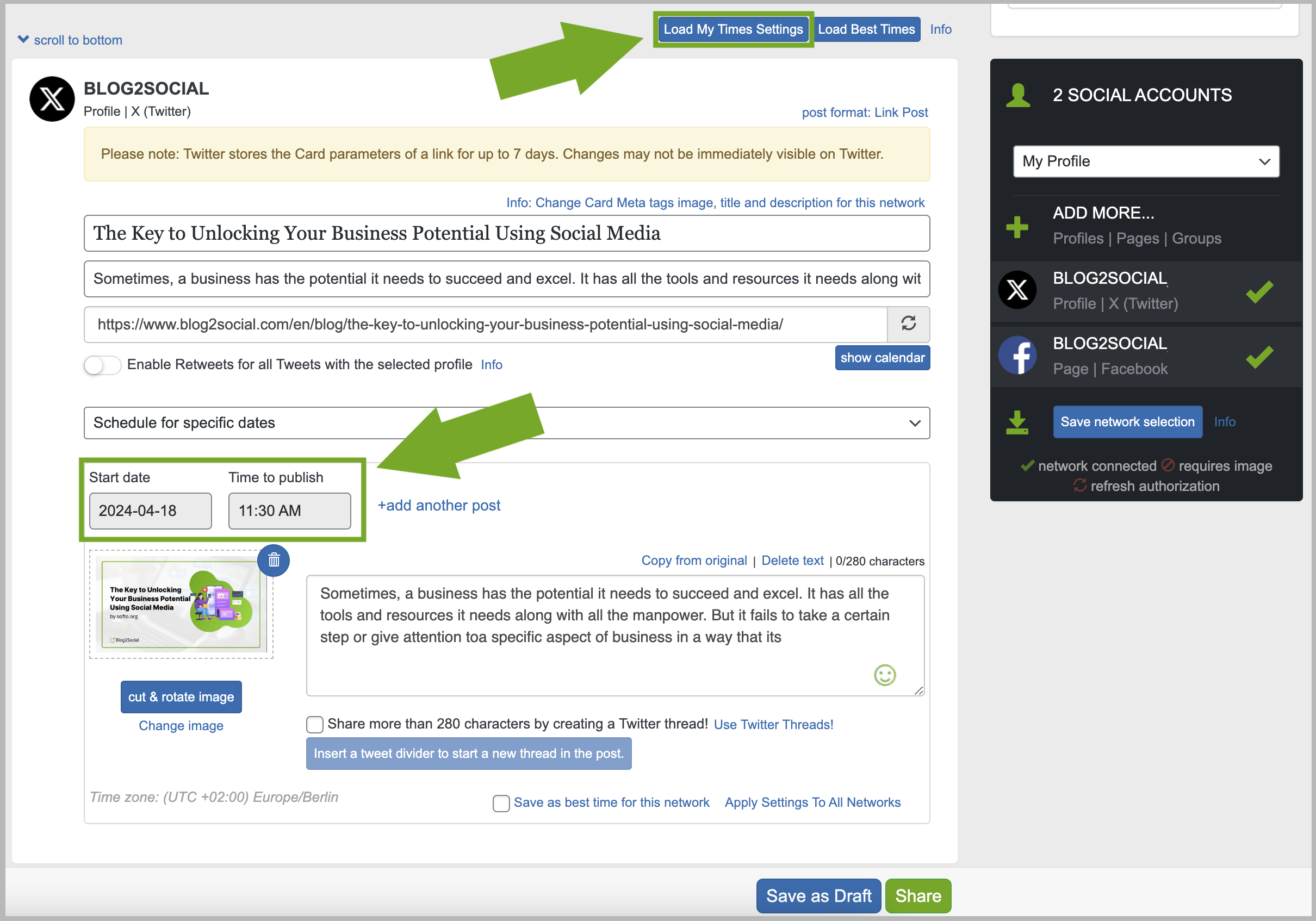
To apply your individual time settings for your next social media post, simply click on "Load My Time Settings" in the preview editor, and the editor will automatically apply these times for all your posts. The dates and times will show on your post. If you feel you still need to adjust the time for any of your social media post, you can simply do this here.
How to apply your best time schedule to the Auto-Poster
With Blog2Social you can auto-share and auto-schedule your blog posts by applying your individual best time schedule to the Social Media Auto-Poster.
If you want your new blog posts to be shared automatically without customizing them, you can select the “Auto Post on Social Media” on the right side menu of your WordPress editor.
Alternatively, you can set the auto-poster feature as a default option in the Blog2Social settings.
Learn how to use the auto-poster for Blog2Social
To activate the Auto-Poster for your current blog post, click the checkbox "enable Auto-Posting". To apply your best time schedule for auto-scheduling select the option “at scheduled times” from the drop down menu and then click the checkbox "at best times".
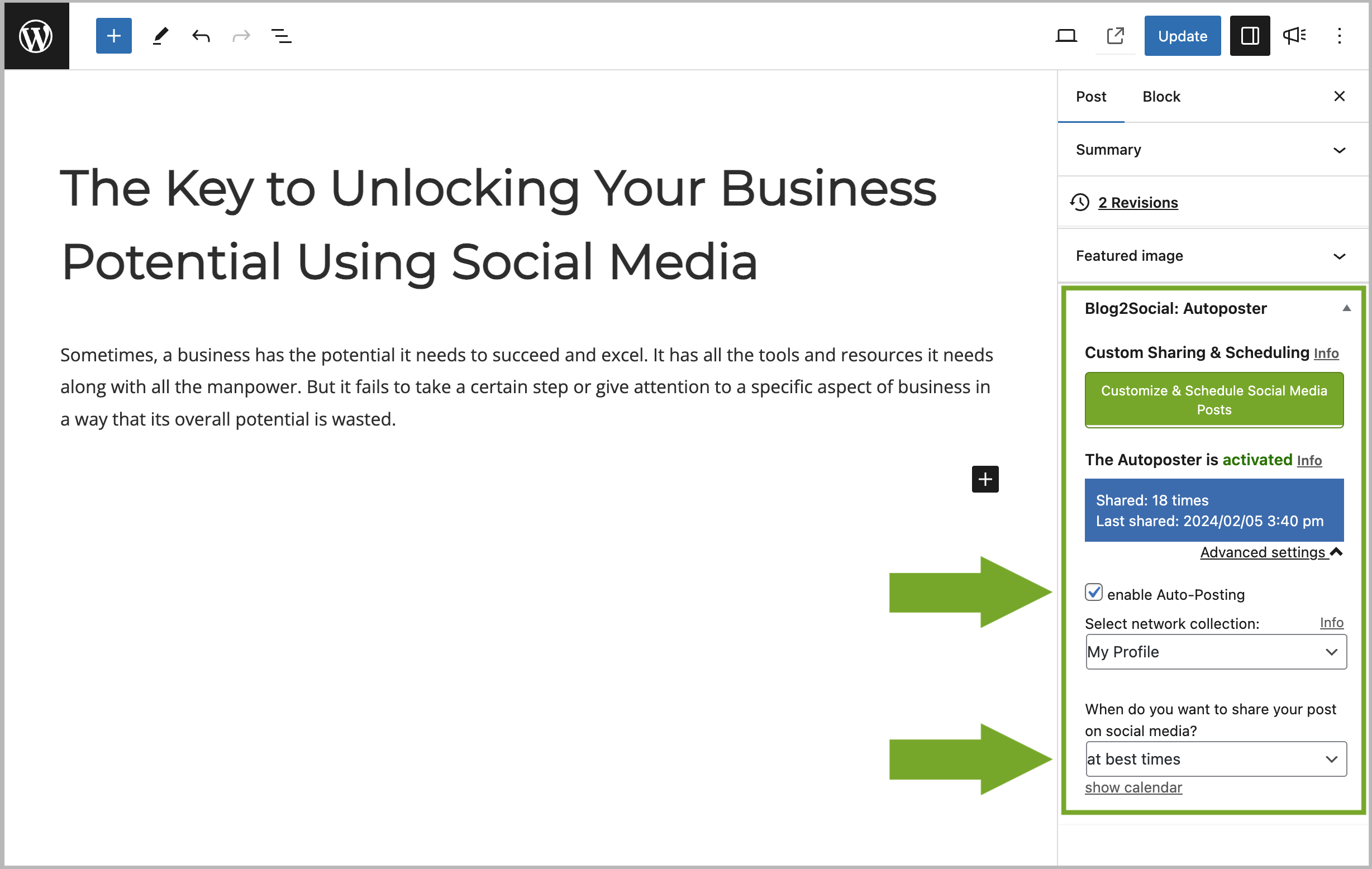
Your individual time settings are adapted automatically by the auto-poster. As soon as your blog post is published, the social media posts will be shared according to your best times settings.
Tags: my time settings, scheduling
Most popular FAQs
How to auto post imported RSS feeds
How do I auto-post and auto-schedule blog posts
Solutions: Why does Instagram not publish my post/text?
How do I connect Blog2Social with Instagram?
The connection to the server failed.
How to connect and automatically post to Facebook
I cannot connect my Facebook page
How to automatically re-publish blog posts on Bloglovin’
How to share on Facebook Profiles with Facebook