How do I change the email and password of my Blog2Social account?
If you would like to change the email address or password you use to log into your Blog2Social account, please go to http://service.blog2social.com/en/login/ and log in as usual.
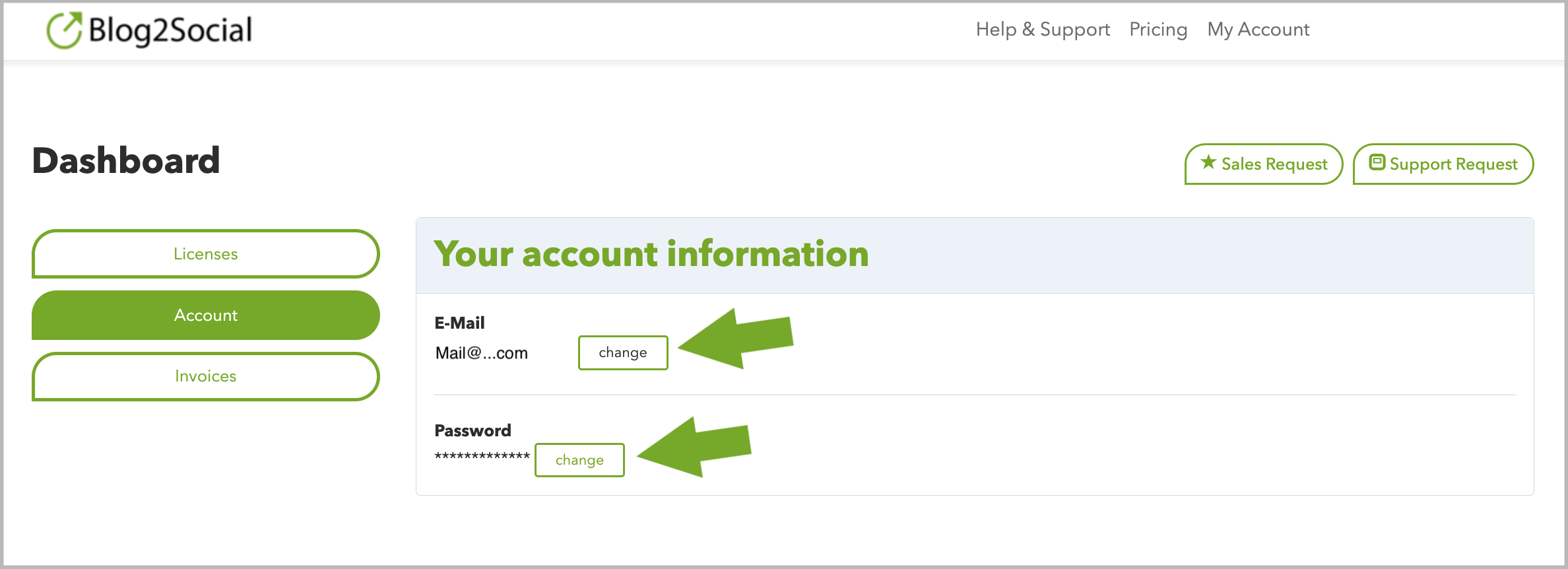
Click on the "Account" tab, and you will have the option to change both your email and your password.
After making any changes, don’t forget to save them.
If you would like to change the email you used to activate your Blog2Social license under "Blog2Social" -> "Premium", please refer to the following guide, which explains how to do this:
How do I change the email address for an activated license?
Tags: e-mail and password, license
Most popular FAQs
System requirements for installing Blog2Social
How to auto post imported RSS feeds
How do I auto-post and auto-schedule blog posts
Solutions: Why does Instagram not publish my post/text?
How do I connect Blog2Social with Instagram?
The connection to the server failed.
How to connect and automatically post to Facebook
I cannot connect my Facebook page
How to automatically re-publish blog posts on Bloglovin’
How to share on Facebook Profiles with Facebook
How to auto post imported RSS feeds
How do I auto-post and auto-schedule blog posts
Solutions: Why does Instagram not publish my post/text?
How do I connect Blog2Social with Instagram?
The connection to the server failed.
How to connect and automatically post to Facebook
I cannot connect my Facebook page
How to automatically re-publish blog posts on Bloglovin’
How to share on Facebook Profiles with Facebook