How to share social media posts from my mobile phone
What is the Blog2Social Mobile App?
The Blog2Social mobile app is the perfect solution for your social media marketing. It allows you to create, customize, schedule, and publish content across multiple social media platforms simultaneously—right from your smartphone. The app combines AI-powered content creation, smart scheduling, and multi-channel publishing into a single mobile application.
How do I install the app?
For iPhone and iPad
-
Open the Apple App Store.
-
Search for Blog2Social.
-
Tap Download and install the app.
For Android Devices
-
Open Google Play.
-
Search for Blog2Social.
-
Tap Install.
How do I get started?
Step 1: Connect your social media accounts
Connect your social media accounts under Networks -> + Connect. Afterwards, you can publish content for all connected networks centrally via the app.

Step 2: Add your content
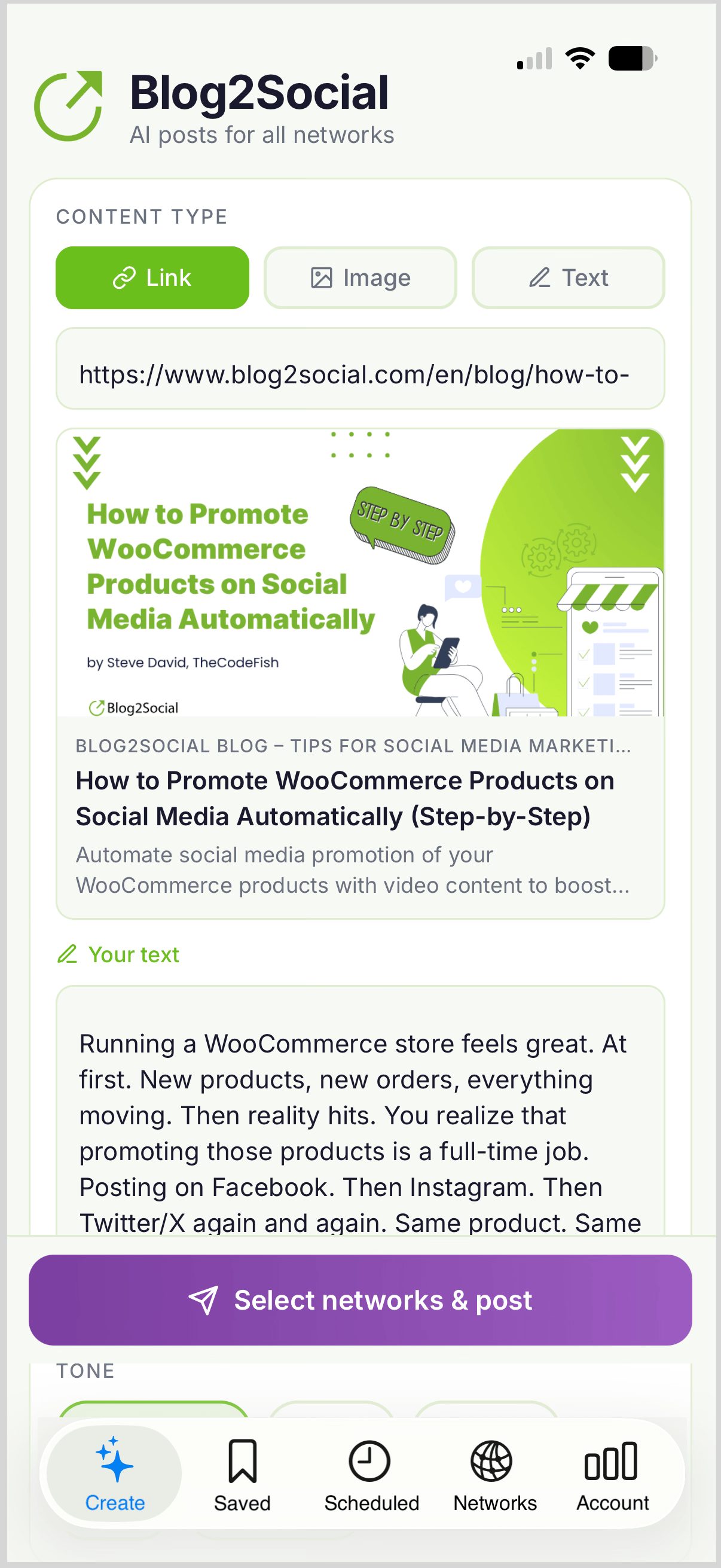
Click on Create and select the format for the post you want to share.
- Website links
- Images
- Text updates

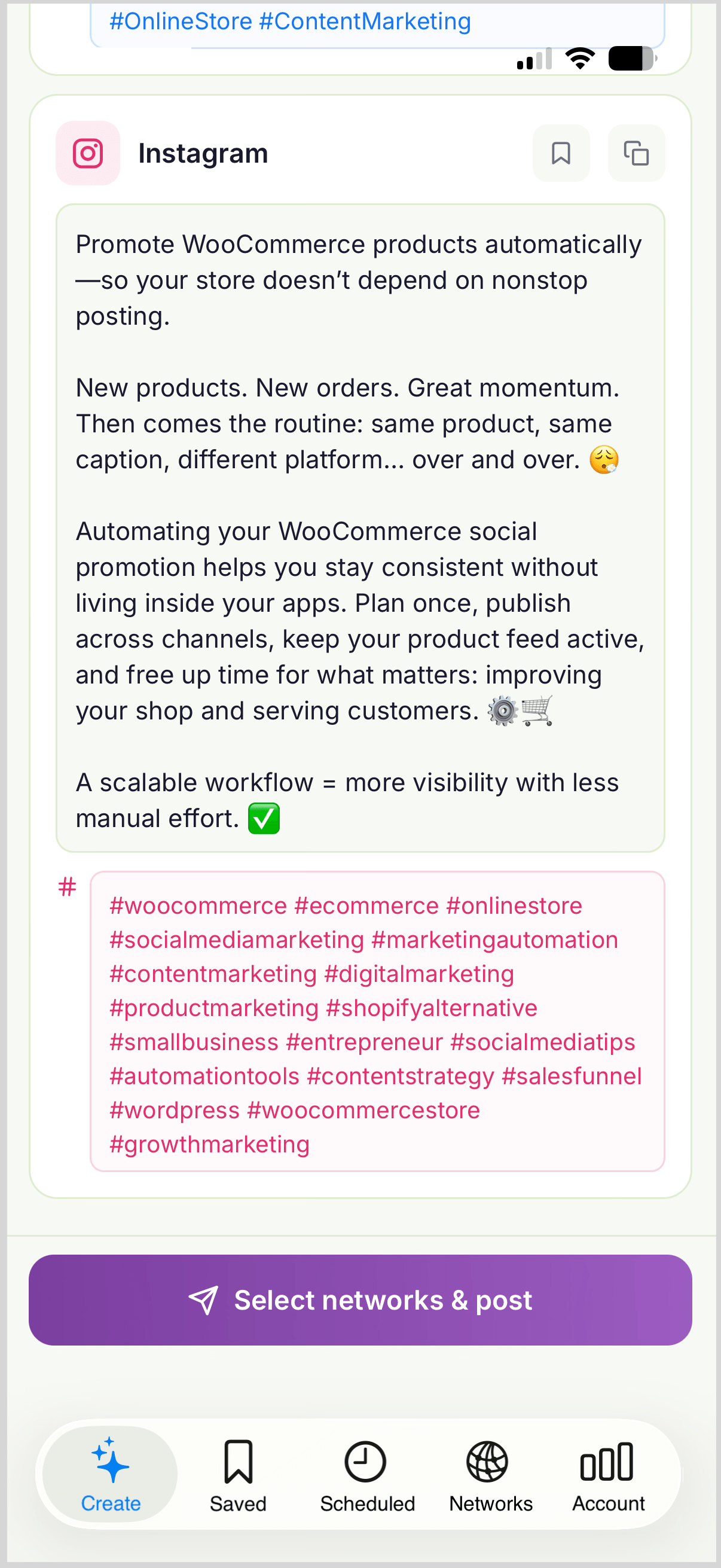
Step 3: Create platform-perfect posts with AI
Use the built-in AI assistant to generate captions tailored to different social media platforms. This helps you adapt your message without manually rewriting every post.

Step 4: Publish or schedule
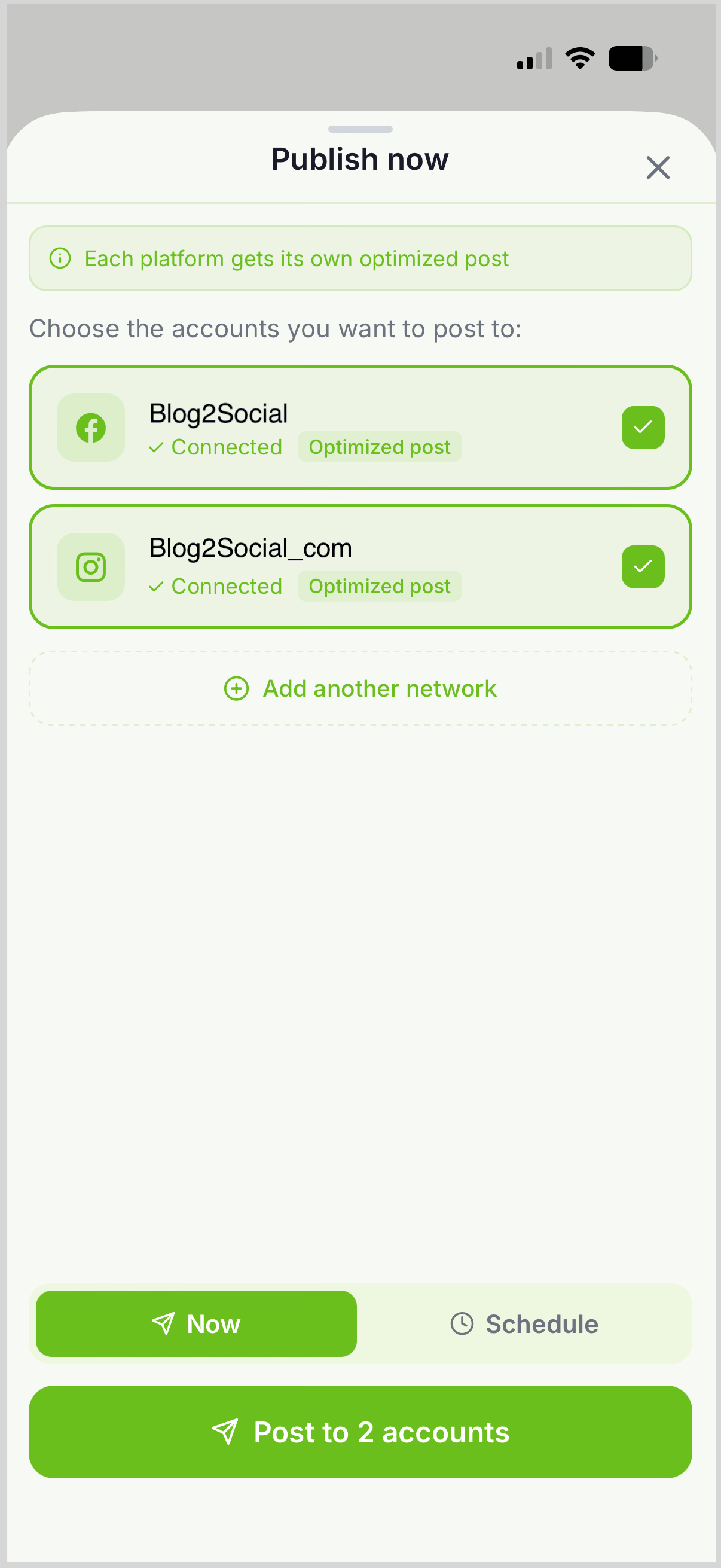
Choose whether to:
- Publish immediately
- Schedule posts for a later date and time

Frequently Asked Questions
Can I post to multiple social media networks at the same time?
Yes. The Blog2Social app allows you to publish your content across multiple connected social media accounts in a single step.
What types of content can I share?
You can share blog posts, website links, images, and text-based updates directly from the app.
How does AI help with social media posting?
The AI assistant creates customized captions and comments for different social media networks, helping you save time while improving engagement.
Can I schedule posts in advance?
Yes. The app includes smart scheduling features that allow you to plan your content ahead of time and publish at optimal times.
Who is the app designed for?
The app is ideal for:
- Bloggers and content creators
- Social media managers
- Businesses and brands
- Agencies and freelancers
Why should I customize posts for different networks?
Every social media platform has its own audience behavior and content style. Platform-specific posts often achieve better visibility, engagement, and reach than identical cross-posted content.
Can I manage my social media workflow while traveling?
Yes. The mobile app is designed for on-the-go publishing, allowing you to create, schedule, and manage content from anywhere.
How can I maintain a consistent posting schedule?
Use the scheduling tools to prepare content in advance and create a regular publishing rhythm across all your connected social media channels.
Start Sharing Smarter
Connect your accounts, create AI-powered content, and publish everywhere from one app. With Blog2Social, social media management becomes faster, easier, and more efficient—directly from your smartphone.
Tags: Android App, Blog2Social Mobile App, Blog2Social Smartphone, Blog2Social Smartphone App, iOS AppMost popular FAQs
How to auto post imported RSS feeds
How do I auto-post and auto-schedule blog posts
Solutions: Why does Instagram not publish my post/text?
How do I connect Blog2Social with Instagram?
The connection to the server failed.
How to connect and automatically post to Facebook
I cannot connect my Facebook page
How to automatically re-publish blog posts on Bloglovin’
How to share on Facebook Profiles with Facebook