How do I connect Blog2Social with my Dev.to organization?
Start by going to "Networks" within your Blog2Social Dashboard. Here, you’ll find an overview of all the networks you can connect Blog2Social with. Simply click on "Connect Organization" next to Dev.to to proceed.
A new window will open where you can enter your organization name and API key. You can find or create your key on https://dev.to/ under "Settings" -> "Extensions" -> "DEV Community API Keys".
Alternatively, you can find or create your key by clicking the following link: https://dev.to/settings/extensions
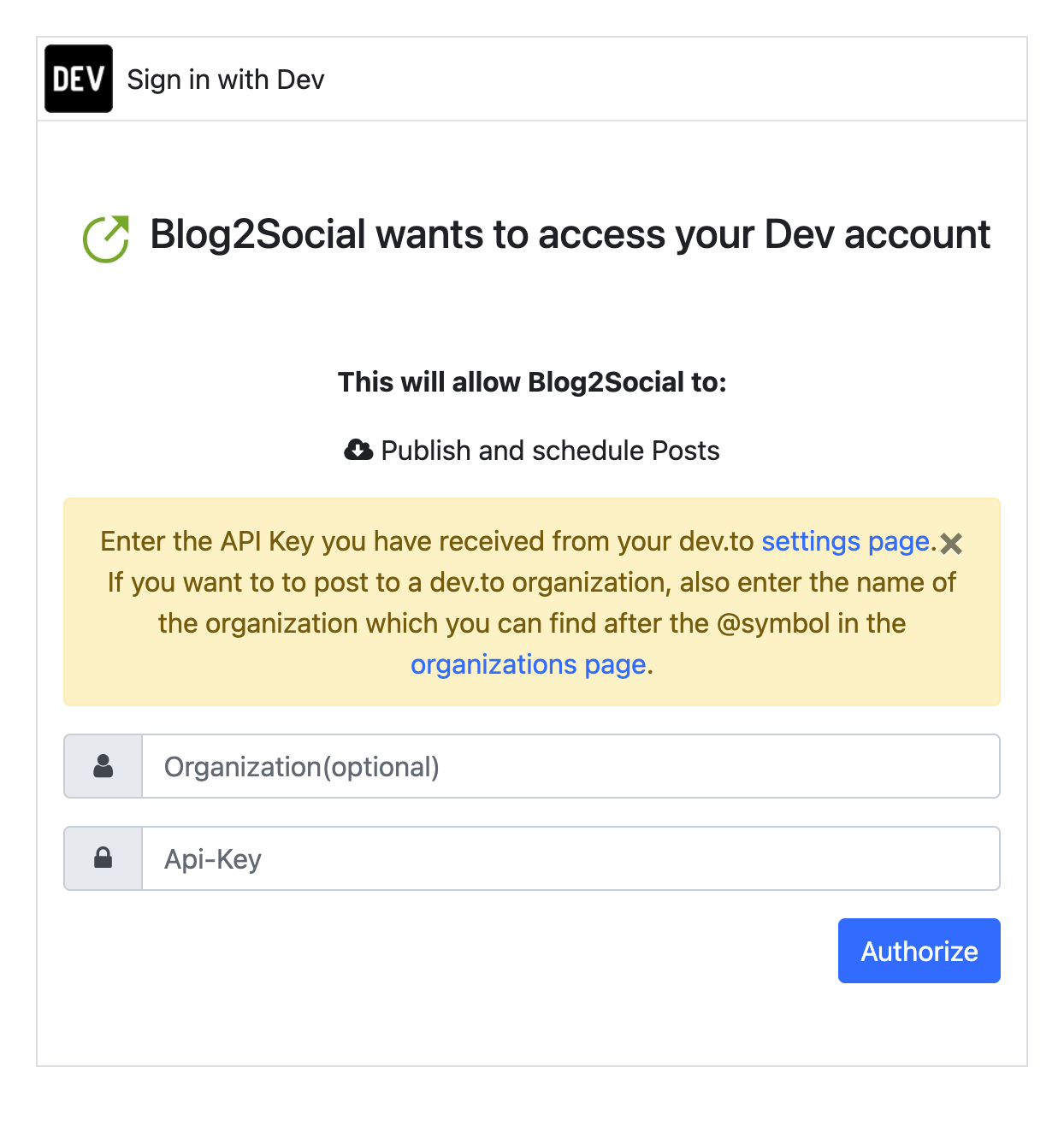
Done! You’ve successfully authorized your Dev.to organization with Blog2Social. Now you can seamlessly share and schedule content to improve your workflow.
Tags: dev.to, how to connect my dev.to organization
Most popular FAQs
System requirements for installing Blog2Social
How to auto post imported RSS feeds
How do I auto-post and auto-schedule blog posts
Solutions: Why does Instagram not publish my post/text?
How do I connect Blog2Social with Instagram?
The connection to the server failed.
How to connect and automatically post to Facebook
I cannot connect my Facebook page
How to automatically re-publish blog posts on Bloglovin’
How to share on Facebook Profiles with Facebook
How to auto post imported RSS feeds
How do I auto-post and auto-schedule blog posts
Solutions: Why does Instagram not publish my post/text?
How do I connect Blog2Social with Instagram?
The connection to the server failed.
How to connect and automatically post to Facebook
I cannot connect my Facebook page
How to automatically re-publish blog posts on Bloglovin’
How to share on Facebook Profiles with Facebook