To start a new blog is one thing, but making your blog successful is where the real work begins. Here are 10 essential tips to become a successful blogger in 2026.
Content:
- Choose a blogging-system
- Select a theme for your topic
- Install the most essential plugins
- Create quality content
- Add captivating visuals
- Optimize for performance and productivity
- Keywords are key
- Get email- and newsletter subscribers
- Connect your blog to social media
- Analyse and optimize
- Free Blogging Guide
- Checklist
Just to be straight: There is no single magic trick to becoming a successful blogger.
Starting a blog is easy. With modern hosted and managed blogging systems and AI models, you can have a blog up and running in minutes.
But blogging does not start and end with setting up a system and filling it with random content. When you publish a new blog, don’t lean back and expect the masses to flow in.
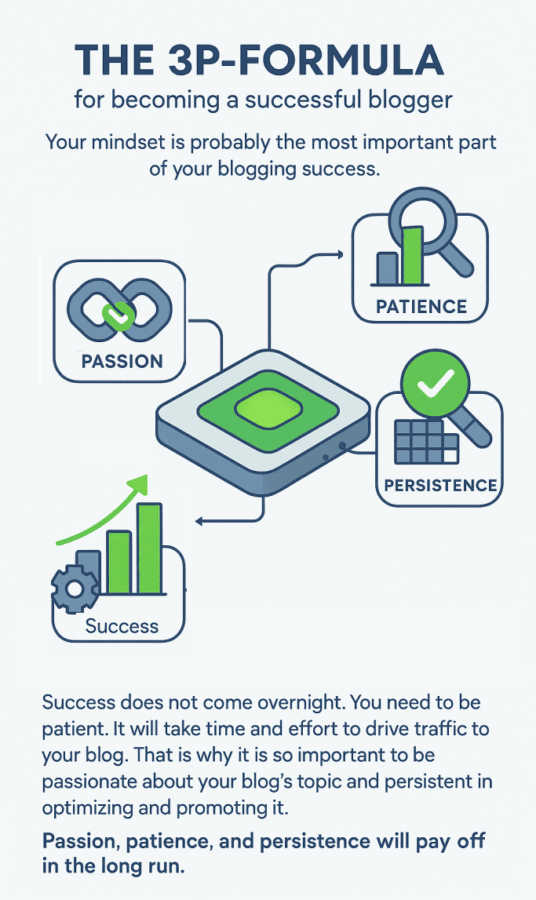
To become a successful blogger, you need a lot of passion, patience, and a high level of persistence.
The 3P-Formula for becoming a successful blogger
Your mindset is probably the most important part of your blogging success.
Success does not come overnight. You need to be patient. It will take time and effort to drive traffic to your blog. That is why it is so important to be passionate about your blog’s topic and persistent in optimizing and promoting it.
Passion, patience, and persistence will pay off in the long run.
To start a successful blog, you need to apply some basic SEO and marketing tactics. Fortunately, there are plenty of powerful tools — including AI-assisted ones — to help you work smarter and faster.
Here are 10 essential steps for starting and promoting a new blog successfully in 2026:
1. Blogging system – choose the right blogging platform
To start a successful blog, you will need to decide on a blogging platform and a hosting solution.
Free blogging platforms vs. your own blog
Free blogging platforms like Blogger, Tumblr, Medium, or WordPress.com are tempting, but keep in mind that you don’t truly own a blog hosted there. You don’t own your domain — it’s typically a subdomain like http://yourblog.wordpress.com. The copyright is yours, but if the platform shuts down or removes your content, it’s gone. There are also significant restrictions on monetization, plugins, custom themes, and analytics.
With your own self-hosted blog, you control your content and every aspect of how it’s run. As long as you back up regularly and pay your hosting fee, you can do whatever you want with your site.
You don’t need to manage your own server. Hosting providers like Bluehost, Hostgator, or WP Engine handle domain registration, setup, maintenance, security, and more so you can focus on creating content.
The pros of managed WordPress hosting
Managed WordPress hosting gives you the best of both worlds: the freedom and control of your own domain, plus the security and reliability of a professional hosting environment. You can use all the plugins and tools you need — including today’s powerful AI writing, SEO, and analytics tools — to help your blog succeed.
Most managed hosting services offer one-click WordPress installation, making setup fast and straightforward even for beginners.
Get help from experts
If you need more help with hosting and setting up your own blog, check out these WordPress Experts who can get you started. Also, take a look at 10 Top Blogs about WordPress You Should Follow for the latest guidelines, tips, and tools to launch and grow your WordPress site.
2. Theme – select the best theme for your topic
A theme determines the look and feel of your blog. WordPress offers thousands of themes — many now with full-site editing (FSE) support via the block editor — giving you more design flexibility than ever without touching a line of code.

Most themes are free to use, at least with basic features. For more polished, professional designs, check out marketplaces like Theme Forest, Template Monster, or Elma Studio.
For extra customization, page builder plugins like Elementor make it easy to build a unique look without any coding skills.
3. Install essential plugins for performance and productivity
WordPress is a powerful platform out of the box, but plugins extend it to handle tasks you might not even have thought of yet.
Think of WordPress plugins like apps on your smartphone — they let you add advanced functionality without any coding. In 2026, the plugin ecosystem has matured significantly, with AI-powered options now available for SEO, content creation, customer support, and more.
Select the best plugins for your blog
With over 60,000 plugins in the WordPress repository, the options can feel overwhelming. But installing too many plugins can slow your site down and create conflicts. Be selective.

We’ve tested hundreds of plugins and shortlisted the ones that deliver real results in our “15 Must-Have WordPress Plugins to Kickstart Your Blog” list. All are free, with premium options worth exploring for added features.
Ready to go deeper into SEO, social, and marketing? Check out:
- 25 Must-Have Marketing Plugins for More Traffic on Your Blog
- 7 Best Social Media Plugins for Your WordPress Blog
Marketing plugins can handle everything from content creation, newsletter sign-up forms, landing pages, to SEO optimization, social sharing buttons, and automated content distribution.
4. Content – create quality content that hooks your audience
Valuable content is the single most important asset of your blog. Great content means content that is genuinely useful, insightful, or entertaining for your specific target audience.
The better you understand your readers, the better you can create content that matches their interests and needs. Focusing on a niche helps establish your blog as a trusted resource for a specific community.
In 2026, with AI-generated content flooding the web, originality and depth matter more than ever. Search engines are increasingly prioritizing first-hand experience, expert insight, and unique perspectives (Google’s E-E-A-T framework — Experience, Expertise, Authoritativeness, Trustworthiness). Focus on topics where you can add genuine value: answer real questions, fill gaps in existing coverage, and share your own experiences and expertise.
While AI writing tools can help you work faster, use them to assist your thinking — not replace it. Content that reflects your authentic voice and real expertise will always outperform generic AI-generated text.
Tool tip:
The Assistini AI plugin for WordPress is a powerful AI content creator that helps you create structured SEO-ready articles — with proper keyword structure and schema markup baked in. You can use Assistini as a first draft engine — then add your real insight, experience, and point of view. Turn your best results into templates, so your workflow will be faster next time. The combination of speed and authenticity is what makes it sustainable, fast-growing, and scalable.
5. Visuals – unleash the power of images and videos on your blog
When you launch a new blog, you’ll need a logo, a header image, and visuals for every post you publish.
Compelling visuals are more important than ever in 2026. With shorter attention spans and more content competing for clicks, strong imagery is often what separates a scroll from a read. Visuals drive higher CTRs, more conversions, more traffic, and more shares — and can generate additional visitors from image search on Google and social platforms.
In 2026, short videos (Reels, Shorts, TikToks) dominate the attention space and become an essential asset for bloggers to share content on social media and drive traffic to their website.

You don’t need a design background to create great visuals. Tools like Canva offer ready-to-use templates for logos, headers, social media graphics, and more — and now include AI image generation built in. For free stock photos, explore Pixabay, Pexels, Gratisography, Unsplash, Pikwizard, and Stocksnap. For video content, Moovly remains a great option.
Learn more about the best sizes and formats for images and videos:
- The Best Social Media Image Sizes for 2026
- Social Media Video Sizes 2026: Trends, Tips, and Recycling-Strategies
Special Tool Tip: Assistini also creates or edits matching images for your text, based on your own style and CI instructions.
6. SEO – optimize your blog for performance and productivity
Search engines rank sites that are fast, mobile-responsive, secure, and user-friendly — and those signals have only grown stronger. In 2026, Core Web Vitals, page experience signals, and structured data all play an important role in where your blog ranks.
To keep your blog running fast and reduce loading times, plugins like WP Fastest Cache help minimize code and optimize performance.
Yoast SEO remains one of the best tools for handling foundational SEO tasks, including title and meta description templates, XML sitemaps, breadcrumbs, and canonical URLs to prevent duplicate content issues.
Yoast also helps with readability, guiding you on Flesch Reading Ease scores, keyword placement, paragraph length, headings, and use of bullet points — all factors that help readers (and search engines) scan and understand your content quickly.

7. Keywords — include search terms that answer real questions
Keywords remain essential for connecting your content with the people searching for it. But in 2026, effective keyword strategy goes beyond just inserting terms — it’s about understanding the intent behind searches and crafting content that truly answers those questions.
Research how your audience describes the topics you cover: what search terms they use, what questions they ask, what hashtags they follow. Use this language in your metadata, headlines, lead text, image alt text, and throughout your copy.
With the rise of AI-powered search and conversational search interfaces, optimizing for natural language queries and featured snippet opportunities is increasingly valuable.
Tool-Tips: Tools like Google Keyword Planner and Long Tail Keywords are solid starting points for your research.
8. Email and newsletter marketing: build a loyal subscriber list
In an era of shifting social media algorithms and crowded inboxes, a direct email list is one of the most valuable assets a blogger can have. It gives you a reliable, algorithm-independent way to reach your most loyal readers.
Capture email addresses by offering a blog subscription so readers are automatically notified when you publish new posts. Use newsletters to share updates, exclusive insights, and curated content that keep subscribers coming back.
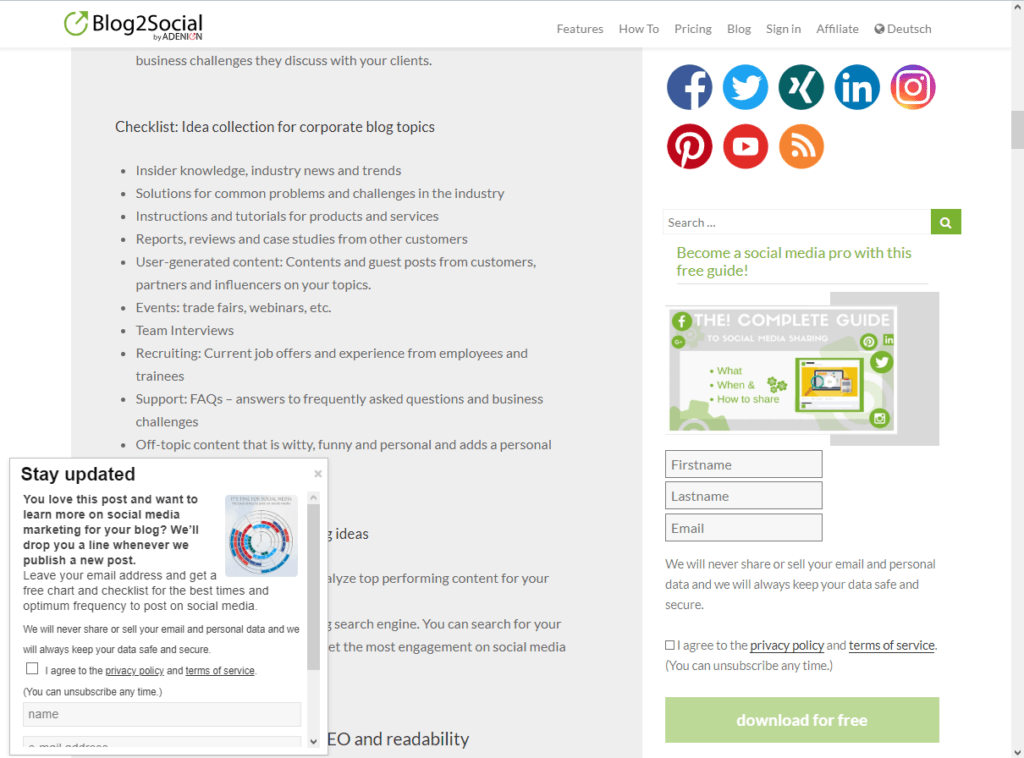
Tool-Tips: The Email Subscribers and Newsletters plugin helps you build your list and manage email campaigns directly from WordPress. The Icegram plugin makes it easy to create pop-ups, welcome bars, and other opt-in forms to grow your subscriber base.
9. Social media marketing: connect your blog with social media
No matter how great your content is, you need to actively promote it. Social media remains the most powerful distribution channel for bloggers — but the landscape in 2026 is broader and more fragmented than ever. In addition to the established platforms, short-form video (Reels, TikTok, YouTube Shorts) and community-driven platforms like Threads, Bluesky, and niche Discord servers are increasingly important for reaching new audiences.
Social media builds authority, generates incoming links, and expands your reach. Strong engagement on social platforms also signals credibility to search engines, supporting your overall ranking and visibility.

Display social media follow icons and share buttons on your blog
Place social media follow icons prominently on your site, and add share buttons to the top and bottom of every post. Sharing buttons on visuals can also drive extra engagement.
Tool-Tip: The Super Socializer plugin makes it easy to add share and follow buttons across your site.
Promote your posts actively on social media
Don’t wait for your readers to share your content — take action yourself. Distribute your posts across multiple platforms and tailor the message for each one:
- Share on X (formerly Twitter), Facebook, Instagram, LinkedIn, Pinterest, and Threads. For business content, LinkedIn remains especially powerful.
- Share in relevant Facebook Groups, LinkedIn Groups, and Reddit Subreddits where your target audience is active.
- Submit to social bookmarking communities like Diigo or Digg to build additional traffic and links.
- Republish or syndicate content on Medium, Tumblr, Quora, and LinkedIn Pulse to reach new audiences.
Schedule posts at the best times for each platform, vary your messaging with custom comments, hashtags, and handles, and use social media automation to stay consistent without burning out.

The WordPress plugin Blog2Social lets you schedule, auto-post, and cross-promote your blog posts directly from your WordPress dashboard, with individually tailored posts and optimal posting times for each network.
Get your free guide to social media sharing and automation.
10. Analytics: analyze your performance and optimize consistently
Tracking your data is not optional — it’s how you learn what’s working and where to improve. Your blog stats and social media performance data reveal what your audience values most and help you make smarter content decisions over time.
Integrate Google Analytics 4 (GA4) into your site to track pageviews, traffic sources, time on page, scroll depth, and user journeys. Understanding not just how many people visit, but how they behave on your site, is key to improving both content and conversions. The Google Analytics Dashboard for WP plugin brings these insights directly into your WordPress dashboard. For real-time traffic stats, the Wassup plugin is a lightweight alternative.
Don’t overlook your social media analytics either. Monitor comments, likes, shares, reach, and click-through rates for each platform and post type. These signals tell you which content formats and topics resonate most with your audience — and where to invest your energy next.
Learn more about blogging
Free guide including checklist for bloggers.

Checklist
Successful Blogging
Step-by-Step Checklist 2026
Work through all 10 steps to launch, grow, and promote your blog successfully. Tick off each task as you complete it.
- Decide between a free platform (WordPress.com, Medium, Tumblr) and a self-hosted blog — with free platforms you don’t own your domain or control your content.
- Choose a reliable hosting provider — popular options include Bluehost, Hostgator, WP Engine, or SiteGround. They handle domain registration, setup, security, and maintenance.
- Install WordPress via your provider’s one-click installer — fast, no technical knowledge required.
- Register your own domain (ideally your brand or blog name + .com).
- Set up regular automated backups so your content is always protected.
- Browse WordPress themes in the official repository — many now support Full Site Editing (FSE) for design flexibility without code.
- For a professional look, explore Theme Forest, Template Monster, or Elma Studio.
- Install Elementor for custom layouts without coding.
- Test your theme on mobile — most blog traffic today arrives on smartphones.
- SEO Yoast SEO — title & meta templates, XML sitemaps, canonical URLs, readability checks.
- Performance Autoptimize — minifies code and reduces page loading time.
- AI Assistini AI Content Creator — generate blog texts, meta descriptions, and social media posts with AI directly inside WordPress.
- Social Blog2Social — schedule, auto-post, and cross-promote across all social networks from WordPress.
- Email Email Subscribers & Newsletters — build and manage your subscriber list.
- Analytics Google Analytics Dashboard for WP — view GA4 stats directly inside WordPress.
- Keep your total plugin count low — too many slow your site and create conflicts.
Topic research
- Define your niche — the more specific, the easier it is to build a loyal, engaged readership.
- Research what your audience actively searches for: monitor comments, community discussions, and frequent questions in your topic area.
- Tools BuzzSumo, Answer the Public, Google Trends, Easy Blog Ideas
- AI Use Assistini AI Content Creator to draft posts, generate image ideas, and create social copy — without leaving WordPress.
- AI 2026 Use AI for topic ideation — but fill every post with your own experience and authentic voice. Original content beats generic AI text every time.
Planning & publishing
- Publish at least once a week — consistency signals credibility to readers and search engines alike.
- Build a content calendar with Trello or the Editorial Calendar Plugin.
- Recycle top posts into new formats: infographics, short videos, podcasts, checklists, or e-books.
- Regularly update older evergreen posts with fresh data — and update the publication date.
- Create a logo and header graphic using Canva (now includes built-in AI image generation).
- Add a compelling featured image to every post — content with images gets 94% more views.
- Use free stock photos from Pixabay, Pexels, or Unsplash.
- Turn key stats or steps into infographics — they generate 12% more traffic and 200% more shares.
- AI 2026 Create short-form videos (Reels, YouTube Shorts, TikTok) from blog content to attract new readers.
- Always fill in image ALT text with descriptive keywords — improves accessibility and Google Image search visibility.
Technical SEO
- SEO Enable SSL (https) — required for trust signals and search rankings.
- SEO Submit your XML sitemap to Google Search Console via Yoast SEO.
- 2026 Optimise for Core Web Vitals — page speed, interactivity, and visual stability directly affect rankings.
On-page checklist per post
- Title under 60 characters with the primary keyword near the front.
- Meta description under 160 characters — compelling enough to earn the click.
- Sections under 300 words; paragraphs under 150 words; short, clear sentences.
- Use H2/H3 subheadings, bullet lists, and bold highlights so readers can scan quickly.
- 2026 Add a short FAQ section — boosts visibility in Google AI Overviews and featured snippets.
- Tool Check readability with PR-Gateway Text Analysis (free).
- Tool Research with Google Keyword Planner and Keywordtool.io — find the exact terms your audience uses.
- Tool Find long-tail phrases with Long Tail Keywords — lower competition, higher intent.
- Place your focus keyword in: title, first paragraph, at least one H2, image ALT text, and meta description.
- AI 2026 Optimise for conversational queries — AI-powered search rewards content that directly and fully answers questions.
- Add a newsletter sign-up to your sidebar, below every post, and as a pop-up — use Icegram.
- Send a regular newsletter with your newest posts, exclusive tips, or curated industry news.
- Offer a lead magnet (checklist, e-book, or template) to incentivise sign-ups.
Set up your blog
- Place social media follow icons prominently (header or sidebar).
- Add share buttons at the top and bottom of every post — use the Super Socializer Plugin.
Active promotion
- Share every post on X, Facebook, Instagram, LinkedIn, Pinterest — tailor copy and format to each platform.
- Post in relevant Facebook Groups, LinkedIn Groups, and Reddit communities where your target audience is active.
- Syndicate on Medium, Quora, and LinkedIn Pulse — always with a 5–7 day delay so Google indexes your original first.
- 2026 Experiment with Threads and Bluesky for organic reach; use short-form video (Reels, Shorts, TikTok) to attract new readers.
- Tool Use Blog2Social to schedule, auto-post, and cross-promote at the best times for every network — directly from WordPress.
- Tool Connect Google Analytics 4 (GA4) — track pageviews, traffic sources, scroll depth, time on page, and user journeys.
- Review your top-performing posts monthly — identify patterns and double down on what resonates.
- Monitor social media metrics per platform and post type: comments, shares, reach, and CTR.
- Track: Unique visitors · Pages per session · Avg. time on page · Bounce rate · Reader-to-lead rate · Lead-to-conversion rate.
- Start at 1 post/week, analyse the data, then increase frequency gradually — find your optimal publishing rhythm.
Ready to automate your blog promotion?
Blog2Social lets you schedule and cross-promote every post across all your social networks in one click.
Checklist Complete!
You've covered all 10 steps for a successful blog in 2026. Now go publish something great!

Melanie Tamblé is co-founder and co-CEO of Adenion GmbH. She is an experienced expert in content marketing and social media.
Adenion GmbH specializes in online services and tools for bloggers, businesses and agencies of any size to support their online marketing and content seeding tasks on the web.
Blog2Social as WordPress Plugin and WebApp enable fast and easy auto-posting, scheduling and cross-promotion of blog posts, articles, links, images, videos and documents across multiple social media sites.
Social media posts will be automatically turned into a customized format for each social platform and auto-scheduled for the best time. Social media post can be previewed and tailored with individual post formats, images or personal comments – all in one easy step.
About the author