How to share my Post as a Story on Instagram?
Instagram Stories are a great way to reach your audience with engaging, time-sensitive content. With Blog2Social, you can easily turn your blog posts or social media updates into eye-catching Instagram Stories in just a few clicks. This allows you to boost visibility, drive more traffic to your content and interact with your followers in a more dynamic way.
What is an Instagram Story?
An Instagram Story is a temporary post that disappears after 24 hours. It can be accessed via the Instagram profile picture and is displayed in a slideshow format. For example, you can post images or videos in your Instagram Story.
How to create an Instagram Story
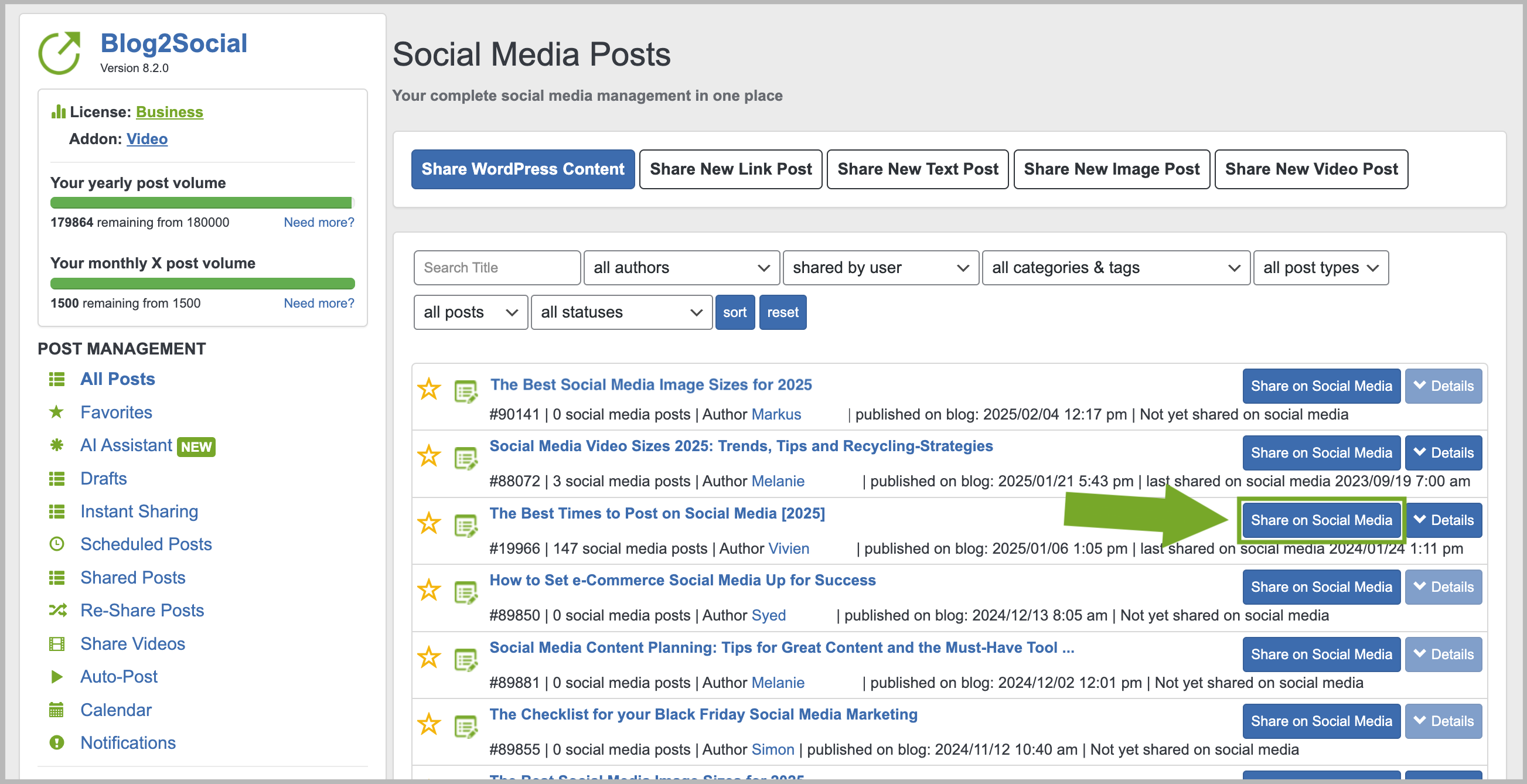
Start by clicking on "Social Media Posts" or "All Posts" in Blog2Social. Here you’ll find all of your blog posts. Select the post you want to share as a story and click on "Share on Social Media".
Now you’re in the Blog2Social post preview. Simply check the box "Share as Story".
If you want to share the post immediately, click on "Share". If you want to schedule this post, please select "Schedule for specific dates" from the drop-down menu.

Done! You have successfully shared the post as a story on Instagram. The story can be accessed via your Instagram profile picture.

Additional helpful guides
- Connecting Instagram - Things to check
- How do I schedule multiple individually tailored social media posts?
- How to share Videos on Social Media?
Tags: How to share a Story on Instagram, Instagram Story, Post in Instagram Story, Schedule Instagram Story
Most popular FAQs
How to auto post imported RSS feeds
How do I auto-post and auto-schedule blog posts
Solutions: Why does Instagram not publish my post/text?
How do I connect Blog2Social with Instagram?
The connection to the server failed.
How to connect and automatically post to Facebook
I cannot connect my Facebook page
How to automatically re-publish blog posts on Bloglovin’
How to share on Facebook Profiles with Facebook