How do I connect my BAND with Blog2Social?
What is BAND.us?
BAND is a group communication platform designed for teams, clubs, friend groups and organizations. It offers features such as chat, calendar, polls, photo and video sharing, and announcements to facilitate collaboration and interaction within groups. BAND is especially popular among sports teams, gaming communities and school groups, as it provides a structured and interactive way to stay organized.
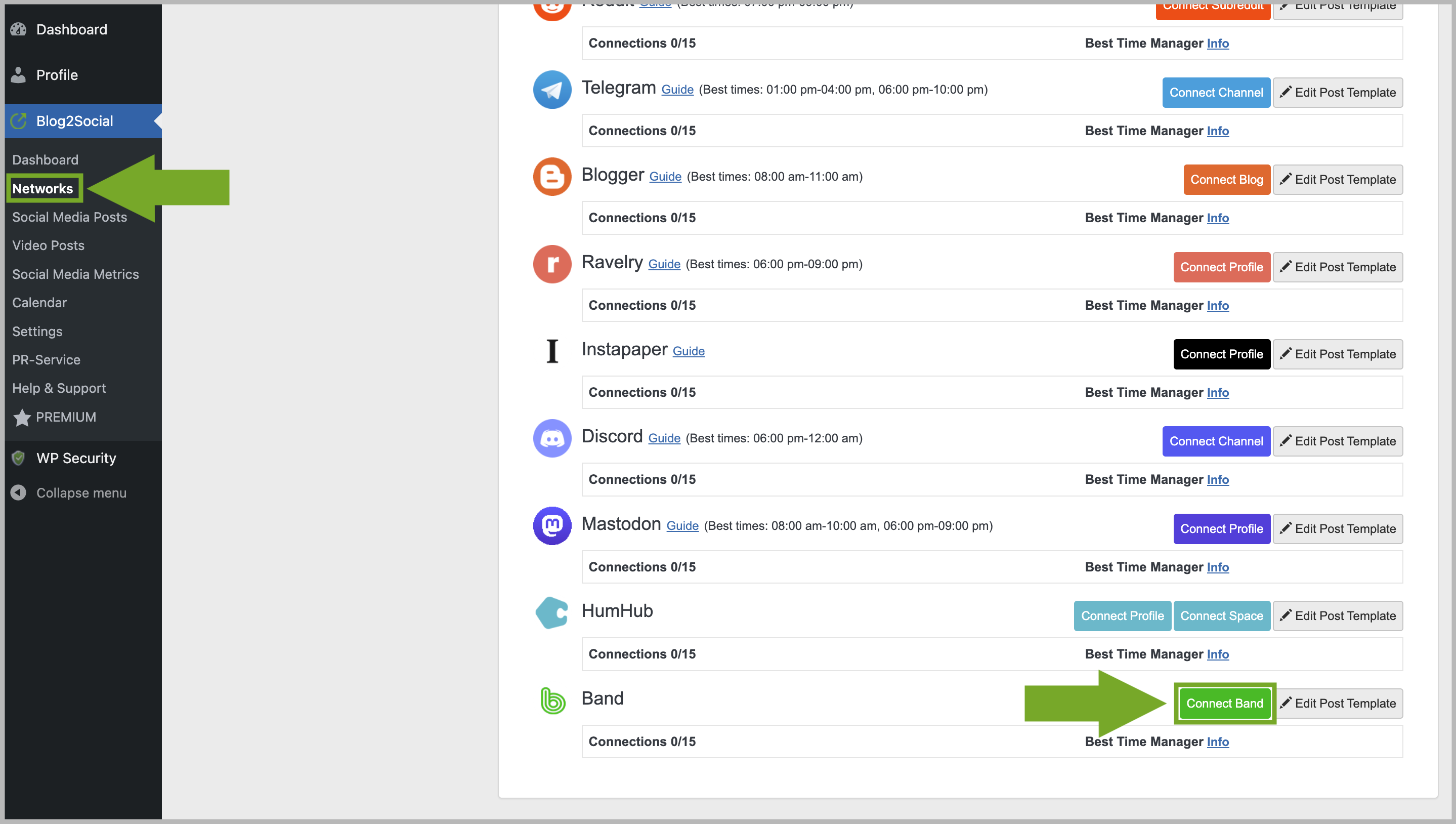
In order to connect your Bands with Blog2Social, start by going to "Networks" within your Blog2Social Dashboard. Here, you’ll find an overview of all the networks you can connect Blog2Social with. To connect to your Bands, simply click on "Connect Band". Please make sure that you have joined at least one Band to establish the connection.
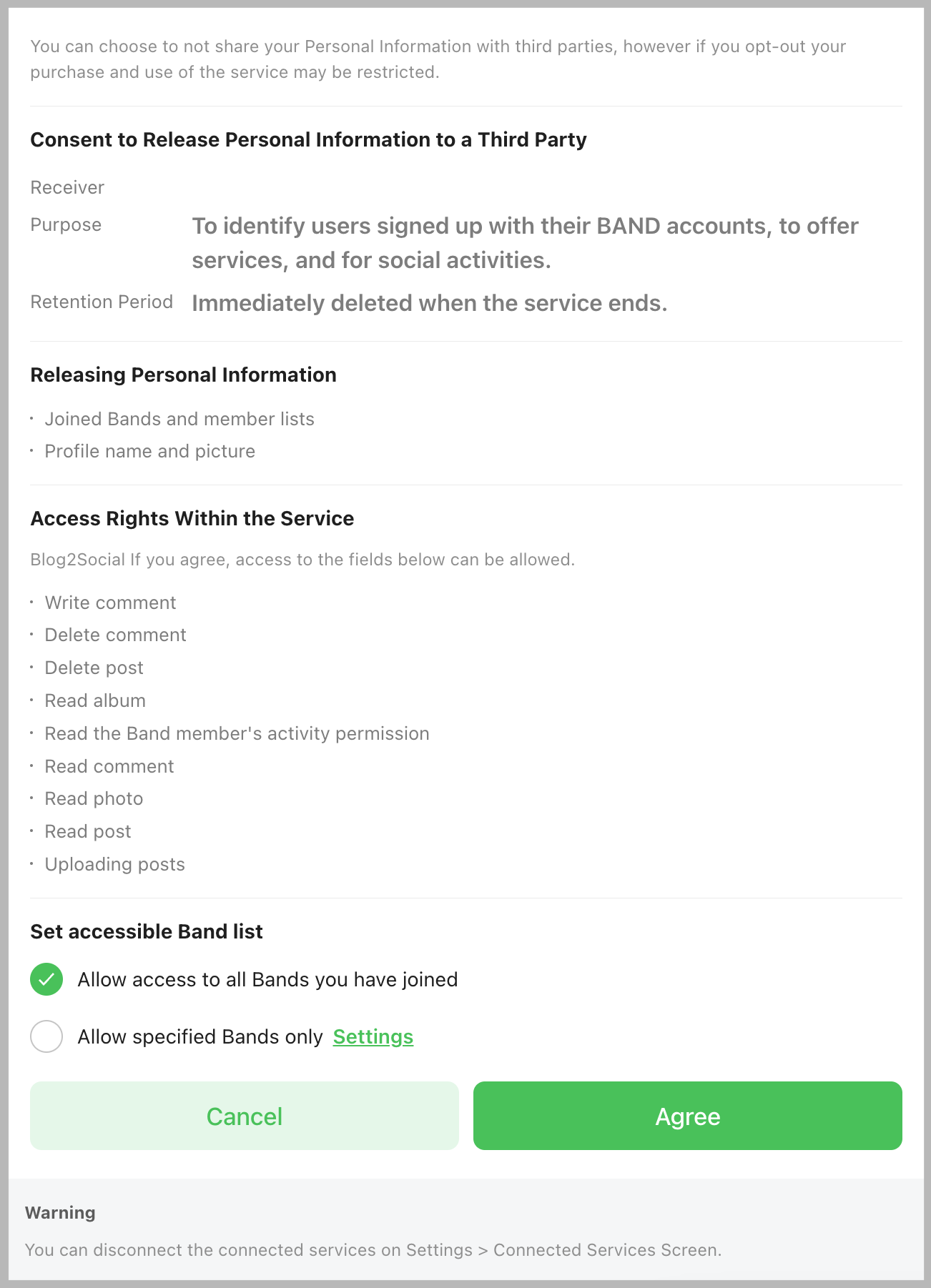
A separate window will open and ask you for your permission and login data if you’re not already logged into Band.us in your browser. Please allow access to all Bands you have joined or to specified Bands only by clicking on "Agree".
If you’ve joined multiple Bands, you can easily choose which one shall be connected in the dropdown menu. Now you can click on "Authorize".

How do I create my own Band?
Simply sign up on BAND.us and click on "Create a Band".

Now you can choose a suitable band type and follow the next steps.

Once your band is created, you can connect it with Blog2Social.
Other helpful guides
- How do I auto-post and auto-schedule blog posts on Social Media with the Auto-Poster?
- How do I re-share Posts automatically on Social Media?
- Solution: Your authorization has expired. Please reconnect your account in the Blog2Social network settings.
Tags: How do I connect my Bands with Blog2Social, How to connect bands
Most popular FAQs
How to auto post imported RSS feeds
How do I auto-post and auto-schedule blog posts
Solutions: Why does Instagram not publish my post/text?
How do I connect Blog2Social with Instagram?
The connection to the server failed.
How to connect and automatically post to Facebook
I cannot connect my Facebook page
How to automatically re-publish blog posts on Bloglovin’
How to share on Facebook Profiles with Facebook