How do I post content as the first comment of my social media post?
Sharing additional information in the first comment, rather than the main caption, is a popular strategy for savvy social media managers. But what are the advantages?
- Algorithm Favoritism: Many platforms prioritize posts that don't contain external links in the main text. By placing your link in the first comment, you keep the algorithm happy while still driving traffic to your website.
- Cleaner Aesthetics: Long captions can look cluttered. Moving hashtags or secondary details to the first comment keeps your main post sleek and focused on your message.
- Increased Engagement: It encourages users to open the comment section, which signals to the platform that your content is worth promoting. It can also increase the likelihood of users leaving their own comments.
Does Blog2Social support posting to the first comment?
Yes! Blog2Social allows you to automatically post your links, hashtags or additional text into the first comment for specific platforms. This helps keep your main caption clean and professional.
Currently, this feature is available for Facebook, Instagram, LinkedIn, X, Bluesky, Threads, Mastodon, Discord, Reddit, Flickr, VKontakte, Band, YouTube and Vimeo. As soon as additional networks are supported and offer this functionality, we will list them here.
How can I enable the "First comment" feature?
Ensure that Blog2Social version 8.9.0 or later is installed and that you are using a Pro or Business license. Then, refresh your social media connection by following these steps.
Enable the "First Comment" feature in the Blog2Social post preview. This will open a text box where you can add your custom content.

If you would like to enable this option by default for all social media posts on a specific network, please follow these steps:
- Open the post templates under "Networks" or in the post preview by clicking "Edit Post Template".
- Now you can enter the content you want to appear in the first comment.
- Click "save" to apply your changes.
Please note: Any changes made to templates will not affect posts that have already been scheduled.
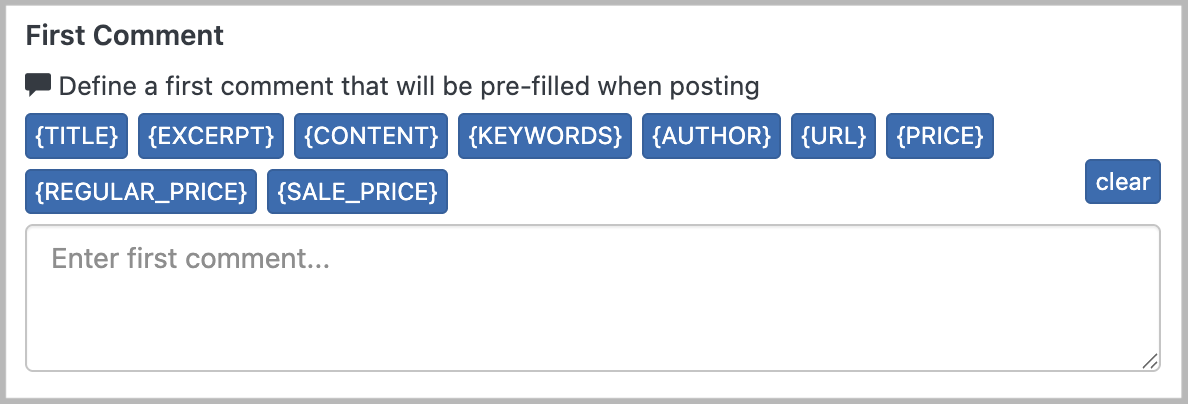
Blog2Social will handle the timing so the comment appears immediately after the post goes live.
Other helpful guides
- Social Media Post Formats - The differences between Image Post and Link Post
- How to share multiple images in one Social Media Post?
- Why is my image not displayed in my Social Media Posts?
Tags: first comment, how to add content as comment
Most popular FAQs
How to auto post imported RSS feeds
How do I auto-post and auto-schedule blog posts
Solutions: Why does Instagram not publish my post/text?
How do I connect Blog2Social with Instagram?
The connection to the server failed.
How to connect and automatically post to Facebook
I cannot connect my Facebook page
How to automatically re-publish blog posts on Bloglovin’
How to share on Facebook Profiles with Facebook