How to share content from any text, link, image or video on Social Media with Blog2Social
Sharing content from links, images, videos or creating your custom text posts will add more value and variations to your own social media content. Presenting relevant content from other sources will also help establish your social media accounts as a valuable resource for your particular field of expertise.
You can automatically post and schedule content from any source with Blog2Social, in addition to automating the social media marketing of your own blog posts and WordPress websites. This way, you can organize your complete social media scheduling right from your WordPress dashboard.
How to share and schedule custom posts posts with Blog2Social
Click on "Share Posts" in your Blog2Social WordPress dashboard. Then click on "Create a new custom post".
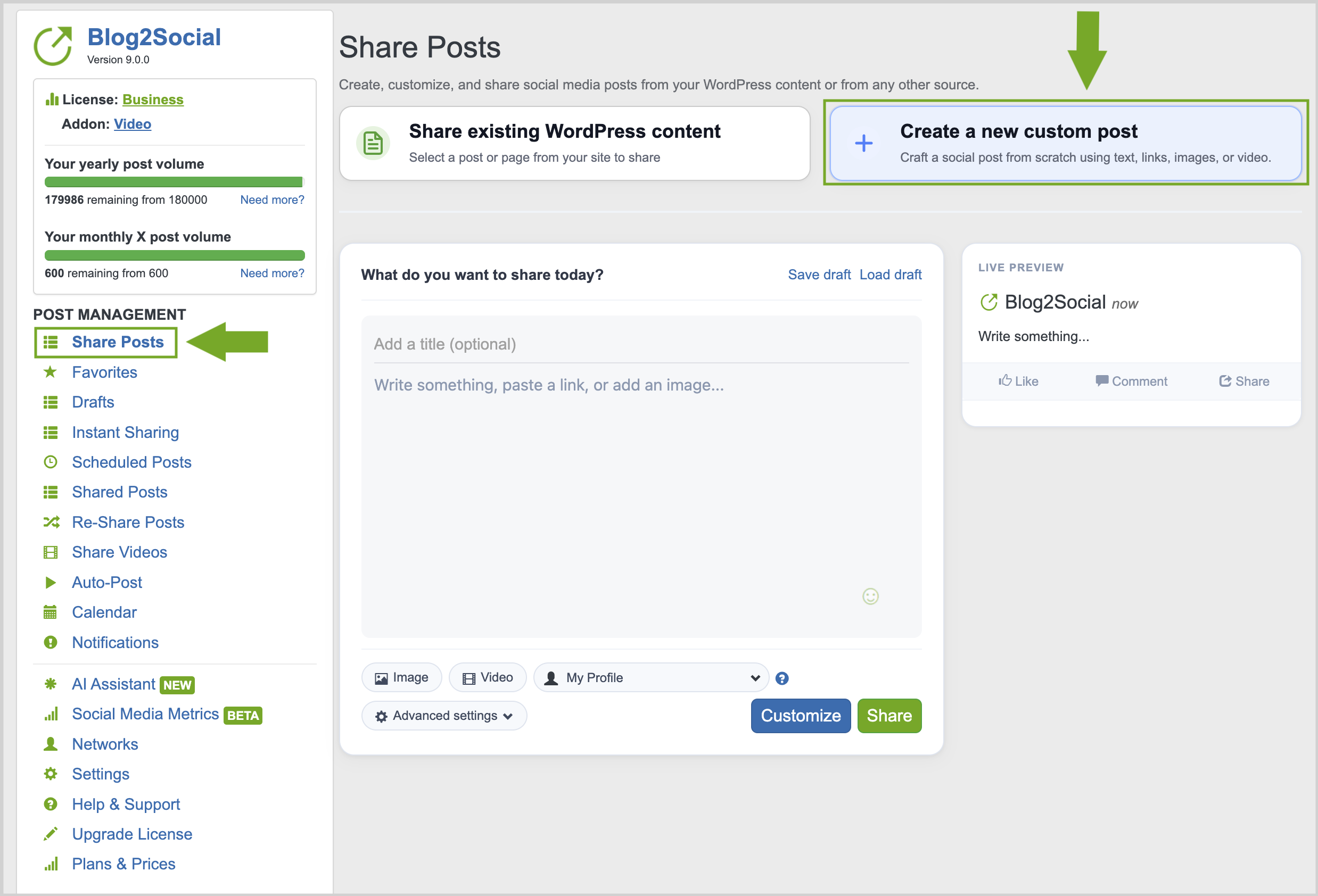
You can create social media posts using links, text, images, or videos.
To share a link, simply copy and paste it into the box. You can share your favorite websites, articles, images from your device, or video files and links.
Publish directly to your standard social media accounts, or select a pre-defined network collection tailored to your current activity.
Click "Share" to publish your posts immediately, or use "Advanced settings" to schedule them for later.
Tailor your posts individually by clicking on "Customize".
Other helpful guides
- Social Media Post Formats - The differences between Image Post and Link Post
- Why is my image not displayed in my social media posts?
- How to share multiple images in one social media post?
Tags: content curation, create social media image post, create social media link post, Create social media posts with Blog2Social, schedule any content on social media, share external content on social media
Most popular FAQs
How to auto post imported RSS feeds
How do I auto-post and auto-schedule blog posts
Solutions: Why does Instagram not publish my post/text?
How do I connect Blog2Social with Instagram?
The connection to the server failed.
How to connect and automatically post to Facebook
I cannot connect my Facebook page
How to automatically re-publish blog posts on Bloglovin’
How to share on Facebook Profiles with Facebook