Where do I find my Blog2Social Premium license key?
After registering for the free trial or purchasing a Blog2Social Premium version (Smart, Pro, or Business), you will receive a welcome email containing your login credentials and license key. If you do not see this email in your main inbox, please check your spam folder.
If you already have your login credentials, you can log into your Blog2Social account at any time to retrieve your license key or update your account information: https://service.blog2social.com/en/login/
Blog2Social Account Overview
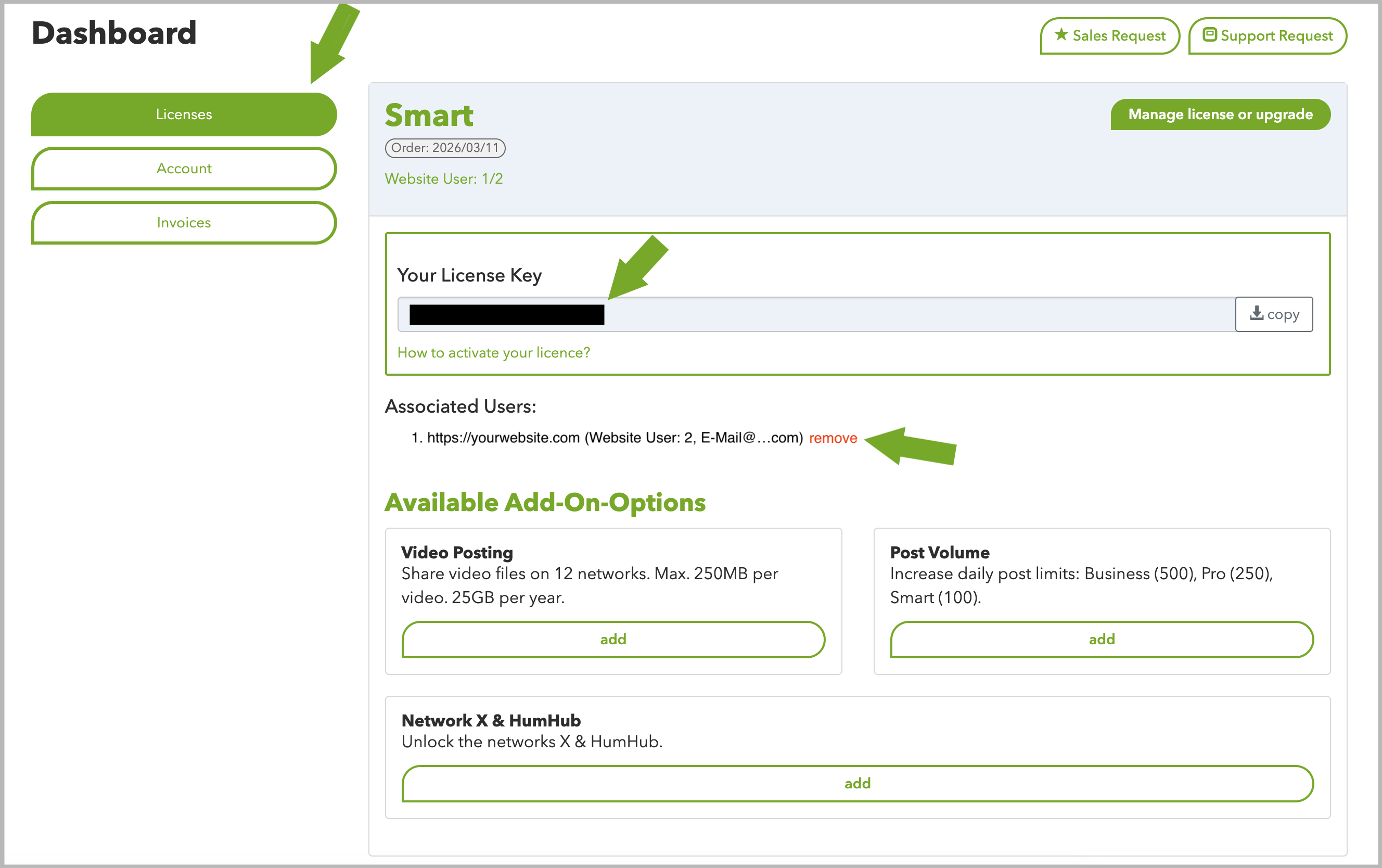
Once logged in, you will see an overview of your licenses, account details, and invoices.
Navigate to the "Licenses" section to view your license key. From here, you can also see your currently active users and remove them if needed to reuse the key for other users or websites.
Please refer to this guide: How do I activate my license key?
Additional helpful guides:
- User management: How to assign license keys and social media accounts to other users
- How do I change the email and password of my Blog2Social account?
- How many social media posts can I share with Blog2Social?
Tags: Blog2Social Premium, license key, Premium license key, where is my license key
Most popular FAQs
How to auto post imported RSS feeds
How do I auto-post and auto-schedule blog posts
Solutions: Why does Instagram not publish my post/text?
How do I connect Blog2Social with Instagram?
The connection to the server failed.
How to connect and automatically post to Facebook
I cannot connect my Facebook page
How to automatically re-publish blog posts on Bloglovin’
How to share on Facebook Profiles with Facebook